Convert RAW photos to JPG at full size
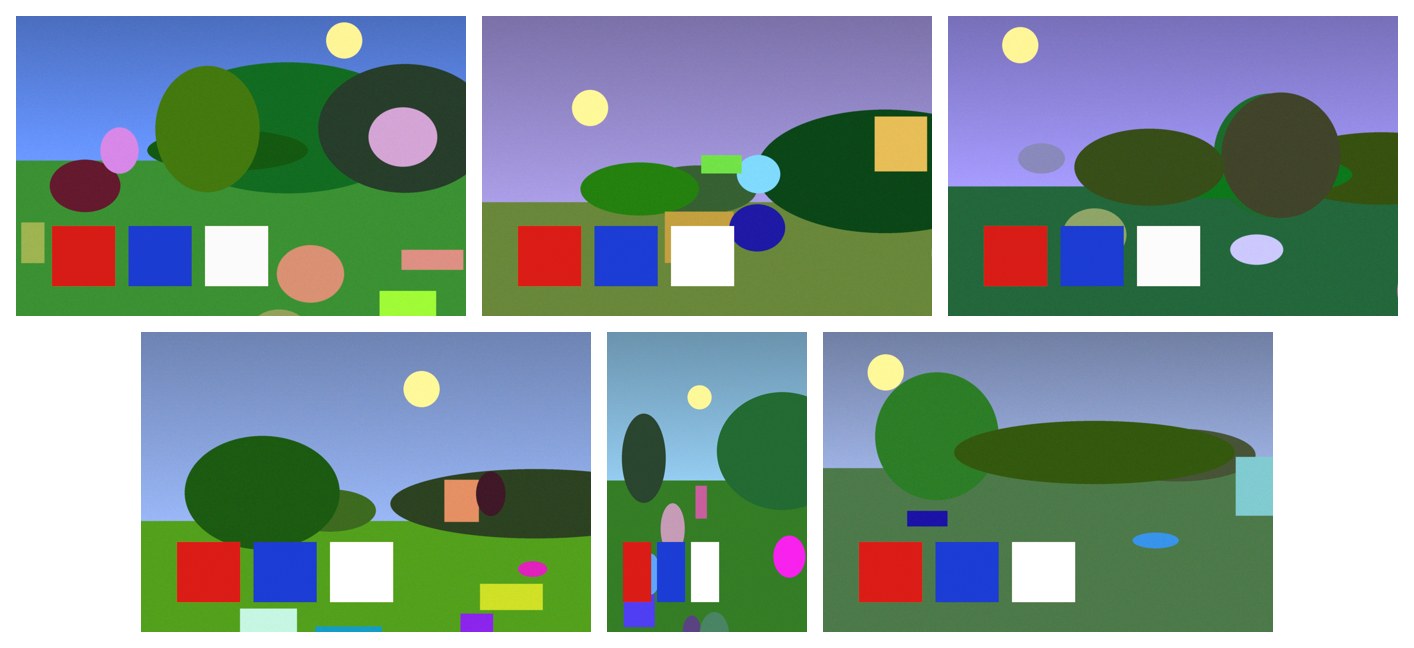
Six camera RAW photos as full-size JPGs, colours natural and the portrait shot upright.
A real run on 14 November 2026, on a Linux computer, using Claude Code with Opus, on a Claude plan. Shown 6× faster; it took 2 min 02 s.
The short answer.
On a Mac, open the RAW files in Preview and use File › Export Selected Images as JPEG. On Windows, add Microsoft's free Raw Image Extension and save from Photos one at a time, or batch-export with the free darktable or XnConvert. Watch out for converters that only pull out the small preview stored inside the RAW file. Stella (stella.sh) developed six RAW photos to full-size JPGs on your own computer, with the camera's colours and the turned shot upright.
Stella does this on Windows, Mac and Linux.
What happened.
Six JPGs in about two minutes. Checked afterwards against an answer key written before the run: one JPG per RAW file, all at the full 2400×1600 (not a preview), the portrait shot upright at 1600×2400, colours matching a proper RAW development, normal brightness, and the RAW files unchanged.
The photos are drawn lake scenes saved as real 12-bit RAW files for this run, one stored sideways with a rotation tag the way cameras save a turned shot. The work is sped up 6×.
How Stella does it.
- Finds the six lake trip RAW files in Pictures (DNG, the open RAW format many cameras and phones use)
- Develops each one from the full sensor data with the camera's white balance, rather than taking the small preview inside the file
- Reads the rotation tag the camera saved with the shot taken sideways, so that photo comes out standing upright
- Saves high-quality JPGs with the same names next to the RAW files, which aren't changed
- Makes a contact sheet of all six so you can see at a glance that they look right
The prompt.
My camera saved the lake trip photos in Pictures as RAW files that I can't open. Make full-size JPG copies of them.
This is the exact prompt from the recording. If your files are somewhere else, say where.
Do it yourself.
On a Mac: Preview
Select the RAW files in Finder and open them in Preview. Click in the sidebar, press Cmd-A, then File › Export Selected Images, and choose JPEG. Preview uses Apple's own camera support, so very new cameras may need a macOS update first.
On Windows: Photos, one at a time
Install Microsoft's free Raw Image Extension from the Store so Photos can open RAW files. Open a photo, choose ⋯ › Save as, and pick JPG. That's fine for a few photos and slow for a card full.
Many photos: darktable or XnConvert
The free darktable (Windows, Mac, Linux) imports a folder, lets you select all and export as JPEG at full size. The free XnConvert does a batch convert too. Check the export size setting isn't capped.
Command line, tested
On a computer with ImageMagick,
magick HX2_1041.DNG -auto-orient -quality 92 HX2_1041.jpgdevelops a RAW file through LibRaw and turns it upright. We ran it on the same test photos and it passed.Check what you got
Open a JPG's details. If it's around 1600 pixels wide or smaller from a modern camera, the tool took the embedded preview. A very dark or green picture means the RAW data wasn't developed properly.
Where it stops.
- Every RAW developer renders colour a little differently, so these JPGs may not match the camera's own JPEG exactly. For edits like exposure or white balance, a RAW editor gives you more control.
- The test files were DNG, an open RAW format. Canon CR2/CR3, Nikon NEF and Sony ARW files go through the same free RAW library, but a camera newer than that library may not open yet.
- Stella works out the steps with the AI model you use, but the photos are developed on your computer; nothing goes to a converter website.
- Recorded on Linux, where the RAW tools were already installed. On a Mac or Windows PC Stella may install a free RAW tool first, which wasn't recorded.
Questions.
Why can't I open my RAW files?
RAW is the camera's unprocessed sensor data, a different format per maker. Windows needs the Raw Image Extension; a Mac opens most, except cameras newer than your macOS.
Why are my converted JPGs small?
Many quick converters save the small preview the camera stores inside the RAW file. Use a tool that develops the full RAW, as Stella did here.
My photos are HEIC or TIFF, not RAW.
See convert HEIC to JPG for iPhone photos and convert TIFF to JPG for scans.
Can it also resize them for sharing?
Yes, in the same chat. See resize images in bulk.
Is Stella free for this?
Yes. Free with the ChatGPT or Claude plan you already have. Sign in with your ChatGPT plan, or use your Claude plan through Claude Code, and this task costs nothing extra. New accounts also get a small free trial of Stella’s own models.
Can I control what Stella changes on my computer?
Yes. Stella works on Windows, Mac and Linux with your own files and shows each step in the chat, so you can watch it and stop it at any point. Tell it what it may not do, as the prompts on these pages do (“don't delete anything without asking”). In the Downloads recording it deleted nothing until it was told to go ahead. It also refuses commands that would wipe a whole disk, your home folder or system folders.
- Microsoft Store: Raw Image Extension
- darktable (free RAW developer)
- XnConvert (free batch image converter)
- LibRaw: supported cameras
Checked against these sources on 14 November 2026.