Run an AI on your own computer, offline
A 1.6 GB chat model on the computer itself, answering with the internet switched off.
A real run on 12 November 2026, on a Linux computer, using Claude Code with Opus, on a Claude plan. The waiting is sped up; it took 8 min 15 s in real time.
The short answer.
Install a free model runner such as Ollama or LM Studio, download a small model (1–2 GB, like Llama 3.2 1B), and chat with it; once downloaded it needs no internet. Small models are fine for everyday questions and drafts but well behind ChatGPT or Claude, and speed depends on your computer. Stella (stella.sh) can pick a model that fits, install it without admin rights, and test it offline.
Stella does this on Windows, Mac and Linux.
What happened.
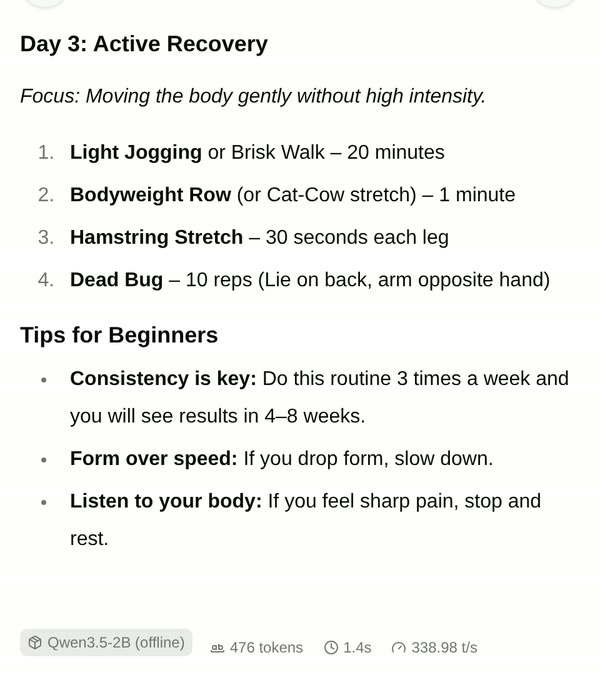
In 8 minutes 15 seconds Stella installed llama.cpp and the 1.57 GB Qwen3.5-2B model, tested it offline, and added a terminal command and a chat window. Checked afterwards by us: with the computer's network cut (only its own loopback left), the same program and model answered “What is the capital of France?” with “Paris”, on the processor alone at about 25 tokens a second. Nothing was left running.
This was the second try. The first, with the prompt “Keep it small, this laptop isn't very powerful”, chose a 2.4 GB model after finding a powerful graphics card, which broke our 2 GB limit, so we stated the size in the prompt and ran it again. The test computer is a fast desktop with an RTX 5090, so Stella's “about a second” per answer is on that card. The wait is sped up 40×.
How Stella does it.
- Looks at the computer first: graphics card, memory, and whether it has admin rights (here it didn't need them)
- Picks a model under the size you set, here Qwen3.5-2B at 1.57 GB, and checks the download against its published checksum
- Installs llama.cpp, a free program that runs models, in your home folder, using the graphics card when there is one
- Tests it with the network switched off, so you know the answers really come from your computer
- Adds an
aicommand, a chat window like ChatGPT's that only your computer can reach, and launchers, then stops everything so nothing runs in the background
The prompt.
Set up an AI that runs on my own computer, offline. Use a small model, under 2 GB.
This is the exact prompt from the recording. If your files are somewhere else, say where.
Do it yourself.
Check what your computer has
A 1–2 GB model runs on almost any computer from the last five years with 8 GB of memory. A graphics card (Nvidia, AMD) or an Apple Silicon Mac makes it much faster; on an older laptop's processor alone expect a few words a second. Bigger models (7B and up, 4 GB+) want 16 GB of memory or a good graphics card.
Install Ollama
Download Ollama from ollama.com for Windows, Mac or Linux and install it. It runs quietly in the background, with a chat window on Windows and Mac and an
ollamacommand everywhere. LM Studio is a free alternative with everything in one window: search for a model, download it and chat.Download a small model
In a terminal, run
ollama run llama3.2:1b(about 1.3 GB). The first time it downloads the model, then lets you type questions; type/byeto quit. In the Ollama app on Windows or Mac, pick the model from the list and start typing. Check the size on a model's page before downloading; many models come in several sizes.Check it really works offline
Turn off Wi-Fi (or unplug the cable) and ask it something. If it answers, it's running on your computer. Nothing you type leaves it, though the app may still check for updates when you're back online.
Stop it when you're done
A loaded model uses memory. Quit Ollama from the tray or menu bar icon, or eject the model in LM Studio. To remove a model, run
ollama rm llama3.2:1b.
Where it stops.
- This is for the curious. A 2B model is good for quick questions, drafts and summaries, and clearly worse than ChatGPT or Claude at hard reasoning, facts and code; Stella said so too.
- Speed depends heavily on your computer. The test machine had a top graphics card; our own offline check on its processor alone ran at about 25 tokens a second, and an ordinary laptop will be slower.
- It used llama.cpp rather than Ollama, since it needs no installer or background service. Ask for Ollama by name if you want it.
- Recorded on Linux. On Windows or a Mac the steps differ (and a Mac uses its own chip instead of a graphics card); that hasn't been recorded yet.
- Stella itself still uses your ChatGPT or Claude plan to do the setting up. Only the model it installs runs offline.
Questions.
Is a local AI as good as ChatGPT?
No. Models small enough for an ordinary computer are far smaller than ChatGPT or Claude, so they make more mistakes and know less. They're useful when you want privacy, no internet, or just to see how it works.
Is it private?
The model runs on your computer and what you type doesn't leave it. You can prove it the way we did: switch the network off and it still answers.
How much space does it need?
The model in the recording is 1.57 GB, plus about 100 MB for the program. Larger models are 4–20 GB or more, and you can keep several.
Can Stella itself use the local model?
Stella can work with local models through a provider set up in its settings, but a 1–2 GB model is too small to do Stella's tasks well. Use it for chatting, and your ChatGPT or Claude plan for getting things done.
Is Stella free for this?
Yes. Free with the ChatGPT or Claude plan you already have. Sign in with your ChatGPT plan, or use your Claude plan through Claude Code, and this task costs nothing extra. New accounts also get a small free trial of Stella’s own models.
Can I control what Stella changes on my computer?
Yes. Stella works on Windows, Mac and Linux with your own files and shows each step in the chat, so you can watch it and stop it at any point. Tell it what it may not do, as the prompts on these pages do (“don't delete anything without asking”). In the Downloads recording it deleted nothing until it was told to go ahead. It also refuses commands that would wipe a whole disk, your home folder or system folders.
- Ollama: download
- Ollama blog: Ollama's new app
- Ollama library: llama3.2
- LM Studio
- llama.cpp
- Qwen3.5-2B GGUF files
Checked against these sources on 12 November 2026.